List Your Land
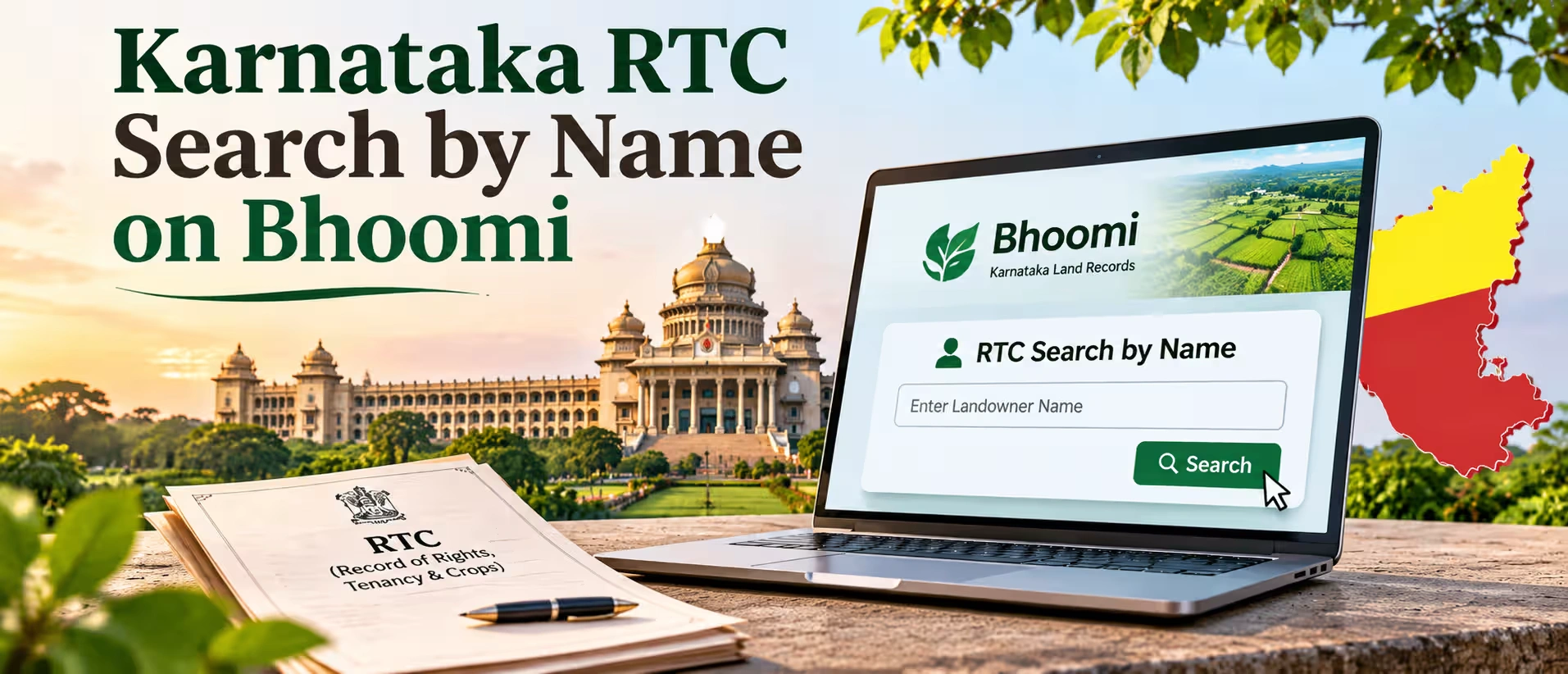
A lot of people will need to do a land record lookup for Karnataka by name, as often you lose the survey number. This will be for inherited land, or land bought many years ago by a family member, or someone selling land who only knows the name and village you are from. The good news is that Karnataka was quick to put agricultural land in Karnataka onto the Bhoomi system, so most holdings have an RTC online under their name. If you know the district, taluk, hobli, and village, you can find it in a matter of minutes. The sections below explain where to look, how to understand the search results, what to do if you can't find anything, and what you should look for as a buyer/seller.
Where to Run a Karnataka Land Record Search by Name?
The official source is the Bhoomi portal (landrecords.karnataka.gov.in). This is the state's Land Records Management System and contains the RTC, MR, and Khata extract. Properties within a gram panchayat boundary will be listed on e-Swathu. This includes things like house sites in villages. Property documents will be found on the Kaveri portal. This can depend on what you're looking for. There are also private websites such as Landeed where you can search by name throughout the state. Searches on Bhoomi are free to view.
Step-by-Step: Search by Owner Name on Bhoomi
A buyer checking an agriculture land for sale in Karnataka listing usually gets only the owner's name and the village from the seller, and that is enough to begin. The steps on Bhoomi are:
- Open landrecords.karnataka.gov.in and click View RTC and MR under the RTC services.
- Choose Owner Wise as the search type.
- Select the district, taluk, hobli, and village from the drop-down lists, in that order.
- Type the owner's name and fetch the details.
- Pick the correct survey number and hissa from the list that comes up, then open the RTC and use the Next button to see all its pages.
When the Name Search Shows Nothing?
Empty results are rarely because there is nothing. Usually names in Karnataka include the father's name, village name, or initials. This means that you may have a Ramegowda who is actually listed as Rame Gowda, Ramegowda T, or even just written in Kannada script. The usual solution is to try searching in both Kannada and English. If this does not work, then try to just search on the initial part of the name. Check that the hobli is correct (often people select the wrong one from their neighbouring village). Then work through the hissa numbers one by one. Often people will have the wrong hobli or no hissa number. If all else fails, then usually the original sale deed or loan paper will give you the survey number. Alternatively, you can look at the Bhu Naksha village map. The village accountant's office will also be able to help.
How to Read the RTC You Get?
If you are looking at a farm land for sale in Karnataka and the seller has sent only a screenshot, ask for the RTC fetched from the portal itself, because the signed version is the one that counts, and the i-RTC is the digitally signed record that lenders and registrars act on. RTC stands for Record of Rights, Tenancy and Crops, and it is also called Pahani.
| RTC detail | What it tells you |
| Owner name and khata number | Who the government records as the holder of the land |
| Survey number and hissa | The exact parcel, since one survey number can be split into several hissas |
| Extent | Area in acres and guntas, where 40 guntas make 1 acre |
| Land type | Whether it is classed as dry, wet, or garden land |
| Cultivator | The person actually farming it, who may not be the owner |
| Crops | What was grown in that season |
| Loans and liabilities | Any bank loan or other charge entered against the land |
| Mutation number | The last entry that changed the holder's name |
What to Check After the Name Search?
Once you have your RTC in hand, note down the owner. The RTC only contains partial details of the land, so we move on to looking at the mutation history. You need to check that the mutations have been fully completed, as incomplete mutations can cause problems later. If there is a name listed on the RTC but there aren't proper mutations, then this should raise questions. We then need to obtain an Encumbrance Certificate from Kaveri for the years required. Compare how much land is listed on the RTC to how much land is listed on the seller's Sale Deed. Check the cultivator column; if a tenant's name is listed here, then it means someone else will be occupying the field.
If you are purchasing this land for non-farming usage, then there is one extra step. Changing land use to non-agricultural is covered under Section 95 of the Karnataka Land Revenue Act. You will require the owner's ID, Sale Deed, and RTC when applying for this change.
Why Sellers Should Search Their Own Name First?
Anyone who plans to sell land in Karnataka should run an owner-name search on themselves before listing, because it shows what the government records say you hold, which is sometimes different from what the family believes. Typical surprises are a late father's name that never got mutated, a brother still shown as a co-holder, an old crop loan that was repaid but never cleared from the liabilities column, or an extent that is a few guntas off from the sale deed. All of these are easier to fix before a buyer asks about them, and fixing them later can push the sale back by weeks.
Who Can Buy the Land After the 2020 Change?
There is an increased buyer pool as Sections 79A, 79B and 79C have been deleted from the Karnataka Land Reforms (Second Amendment) Act, 2020. These sections originally put restrictions on non-agriculturists and high-income earners purchasing agricultural land. The income restrictions have not been reintroduced. Therefore, generally, any Indian resident citizen may purchase land. However, under central legislation, NRIs and OCIs still cannot purchase land. It would therefore be important to verify who intends to purchase the property.
How 2Bigha Helps With the Search?
To view available agricultural land for sale in Karnataka, owners will be able to provide you with the name, village, hobli, and survey number of the land. Just complete the search above. Owners can list their property for free on the Silver plan. If you find the form lengthy, then you can just share the details via WhatsApp. For buyers looking to understand the legal aspects, our guide on whether non-farmers can buy agricultural land in Karnataka provides further information on the rules.
Conclusion
A name, village, and hobli are enough to find an RTC on Bhoomi, which shows land ownership, area, and details of any loans or tenants. Before purchasing, check the mutation history, obtain an encumbrance certificate, and visit the property. Also, factor in Registration Charges in Karnataka 2026 to understand the additional costs involved before finalising the deal.
Disclaimer: This article is for informational purposes only and should not be considered investment, legal, financial, or property advice. Real estate regulations, infrastructure plans, market conditions, and government policies may change over time. Readers are advised to verify information with relevant authorities and consult qualified professionals before making any investment or property-related decisions.