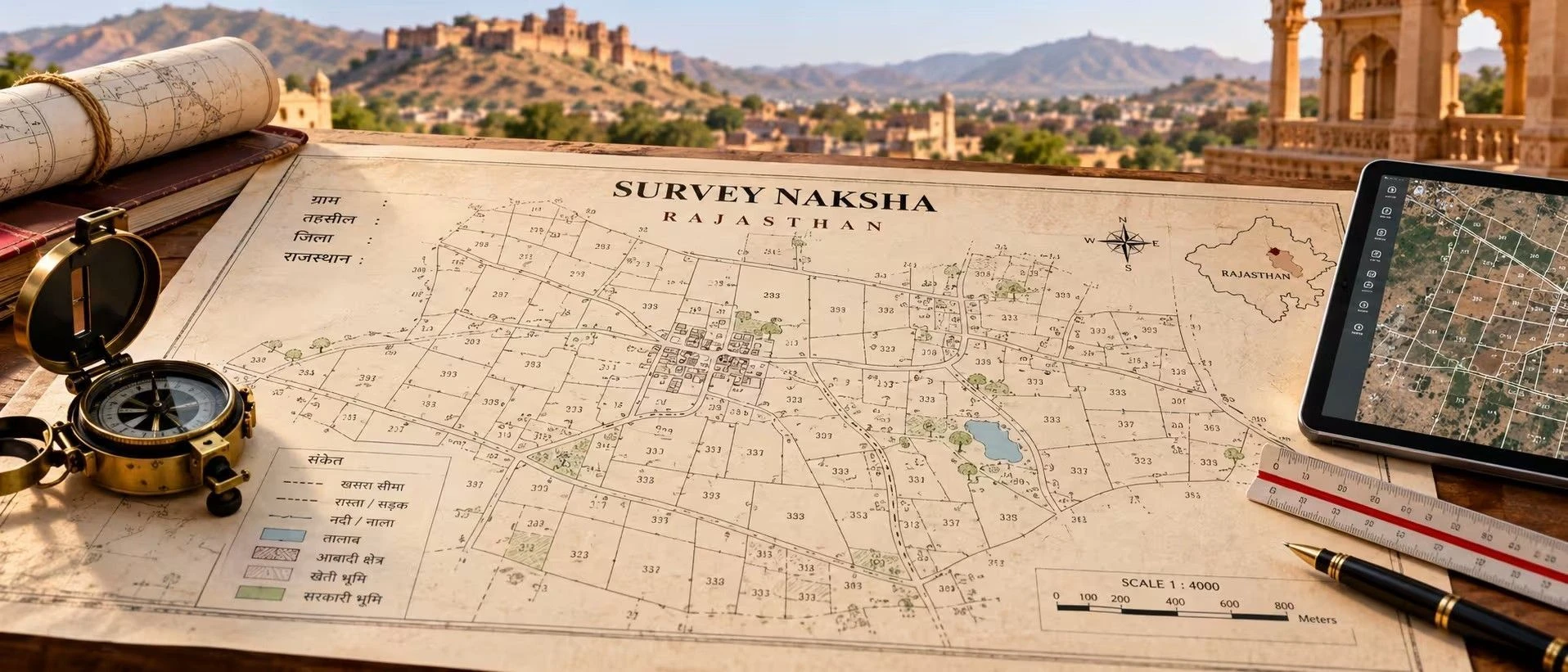
Survey Naksha is the official cadastral map — locally known as Bhu Naksha — that shows a land parcel's exact boundaries, khasra number, and position relative to neighbouring plots as recorded by the Revenue Department. It matters because it's the visual proof behind the paperwork — a Jamabandi record can state an area on paper, but only the Naksha confirms where that land physically sits and whether its boundaries genuinely match what's described, protecting a buyer from disputes that surface only after money has changed hands. This guide covers how to view and download the map online, what a correct one should show, and how to fix the mismatches that come up most often. Whether you're buying agricultural land, comparing plots for sale, or settling an inheritance, this is the map you'll be asked for.
Section 1 — What is Survey Naksha in Rajasthan?
Before checking a plot's map, it helps to see what's currently listed nearby — browse plots in Rajasthan on the 2Bigha map to compare listings by location.
Definition: Survey Naksha, accessed through the Bhu Naksha Rajasthan portal, is the GIS-based cadastral map that shows an individual land parcel as a distinct polygon with its boundary, khasra number, and adjoining plots, linked to the same record used for Jamabandi and land classification.
It's often confused with Jamabandi, but the two serve different purposes — Bhu Naksha shows where the land is and what shape it takes, while Jamabandi (accessed via Apna Khata) shows who the land belongs to and the details tied to that ownership. A buyer needs the Survey Naksha specifically because a Jamabandi entry can state an area and khasra number on paper, but only the map confirms the plot's actual position, shape, and boundaries against its neighbours — details that matter when physically inspecting or fencing the land.
State-specific note: In Rajasthan, Bhu Naksha and Apna Khata are technically two separate systems under the same Revenue Department — you cannot view the map directly from the Apna Khata portal, so always cross-check the khasra number on Apna Khata first, then use it on bhunaksha.rajasthan.gov.in to pull up the actual map.
Expert Tip: If you don't remember the khasra number at all, don't try to guess it on Bhu Naksha directly. Search the land first on Apna Khata using the owner's name or other available details to retrieve the khasra number, then use that number on Bhu Naksha — trying to search the map portal blind is the most common reason people can't find their plot.
Section 2 — How to Get Survey Naksha in Rajasthan?
Comparison of routes:
Method | Cost | Time | Legally valid for registration? |
|---|---|---|---|
Online (view/download PDF, unsigned) | Free | Instant | For reference; not a certified document |
Online (certified copy via e-Mitra) | Around ₹20 | Same day to a few days | Yes |
Offline (Patwari/Tehsil office) | Nominal fee per office schedule | A few days | Yes |
Visit bhunaksha.rajasthan.gov.in and click on "View Map" from the top menu.
Select District, Tehsil, RI Circle, and Halka from the Location panel on the left side of the screen.
Choose your Village, and wait a moment for the Sheet Number dropdown to auto-populate rather than typing it manually.
Enter the Khasra number for the specific plot you want to view, and the map will load showing the plot boundary along with neighboring Khasra numbers.
Download the PDF report for your records, or proceed to request a certified copy through e-Mitra if needed for a formal transaction.
Visit the local Patwari or Tehsil office covering the village where the land is located.
Request the Survey Naksha for the specific khasra, providing whatever details you have — khasra number, owner's name, or an old document.
Pay the applicable fee for a certified copy and collect it once verified.
Offline requests through the Patwari or Tehsil office typically take a few days, longer if the boundary needs manual verification or a survey is pending. Before relying on the map, check that the khasra number and neighbouring plot numbers match what's stated in your Jamabandi, and confirm the boundaries align with what you observe on the ground.
Section 3 — What Does the Survey Naksha Contain?
For a broader look at verified land listings alongside mapped boundary data, visit 2Bigha.
Field | What it means | What to check |
|---|---|---|
Khasra number and boundary | The specific plot and its outline | Matches your Jamabandi and sale documents |
Neighbouring khasra numbers | Adjoining plots on all sides | Consistent with what the seller or neighbours describe |
Plot area | Recorded extent of the land | Matches the area stated in the Jamabandi |
Village/tehsil/district details | Administrative location | Matches the actual location of the land |
Sheet number | Reference to the specific cadastral sheet | Auto-populated correctly for the selected village |
Good sign: A correct map shows a clearly bounded polygon for your khasra with no overlapping or missing sections against neighbouring plots, and the recorded area is consistent with the Jamabandi.
Section 4 — Common Issues & How to Fix Them?
Most Survey Naksha issues in Rajasthan come from search errors or data mismatches rather than actual title problems. Confirm your search results directly on the Bhu Naksha Rajasthan official website before assuming an error is permanent.
Wrong District or Tehsil selected – The plot doesn't load because an incorrect administrative unit was chosen. Fix: Re-verify the correct District, Tehsil, RI Circle, and Halka from the Jamabandi before searching again.
Incorrect RI or Halka chosen – Even with the right village, a wrong RI/Halka selection can prevent the plot from appearing. Fix: Cross-check these details against Apna Khata's Jamabandi Nakal before retrying.
Sheet number not showing – Applicant tries to type the sheet number manually instead of waiting for it to auto-populate. Fix: Select the village first and allow a moment for the Sheet No. dropdown to load automatically.
Boundary or khasra number mismatch – The map shows a discrepancy compared to what's on the Jamabandi. Fix: Cross-check with the Jamabandi Nakal first; if the error persists, file a correction request at the Tehsil or Patwari office.
Land map incorrect (wrong boundary or khasra mismatch) – Genuine data errors on the recorded map. Fix: Visit the local Patwari or Tehsil office and submit a correction request; the update reflects on the portal after verification.
Confusing Apna Khata for the map portal – Buyers look for the Naksha directly on Apna Khata and don't find it. Fix: Use Apna Khata only for Jamabandi/khasra lookup, then switch to bhunaksha.rajasthan.gov.in for the actual map.
Section 5 — Recent Changes in 2026
Bhu Naksha Rajasthan continues to operate as a browser-based portal with no official mobile app of its own, though map access is available through the NIC's official "ApnaKhata" app. No further major changes have been reported as of August 2026 beyond the portal's ongoing coverage across all 33 districts of the state.
Section 6 — Why Survey Naksha Matters for Land Buyers?
It confirms the physical boundaries of a plot, not just its recorded area on paper.
It helps identify boundary overlaps or discrepancies with neighbouring plots before purchase.
It's essential for physical demarcation when fencing or planning construction.
Lenders and legal advisors reference it during due diligence for agricultural land or farmland transactions.
It supports fair division of land among family members during inheritance settlements.
A clear, verified map reduces the risk of buying land whose actual shape or location differs from what was described.
Section 7 — Survey Naksha vs. Jamabandi
Aspect | Survey Naksha (Bhu Naksha) | Jamabandi (Apna Khata) |
|---|---|---|
Nature | Visual cadastral map of plot boundaries | Textual record of ownership and land details |
Shows | Shape, position, khasra number, and adjoining plots | Owner name, khata number, area, and type of land |
Portal | ||
Used for | Physical boundary verification, demarcation | Ownership proof, mutation, legal transactions |
If your plot's map and boundary records are verified and clean, you can list it to reach genuine buyers by selling property online on 2Bigha.
Section 8 — Related Documents
Jamabandi Rajasthan
Khasra Number Rajasthan
Namantaran (Mutation) Rajasthan
Encumbrance Certificate