List Your Land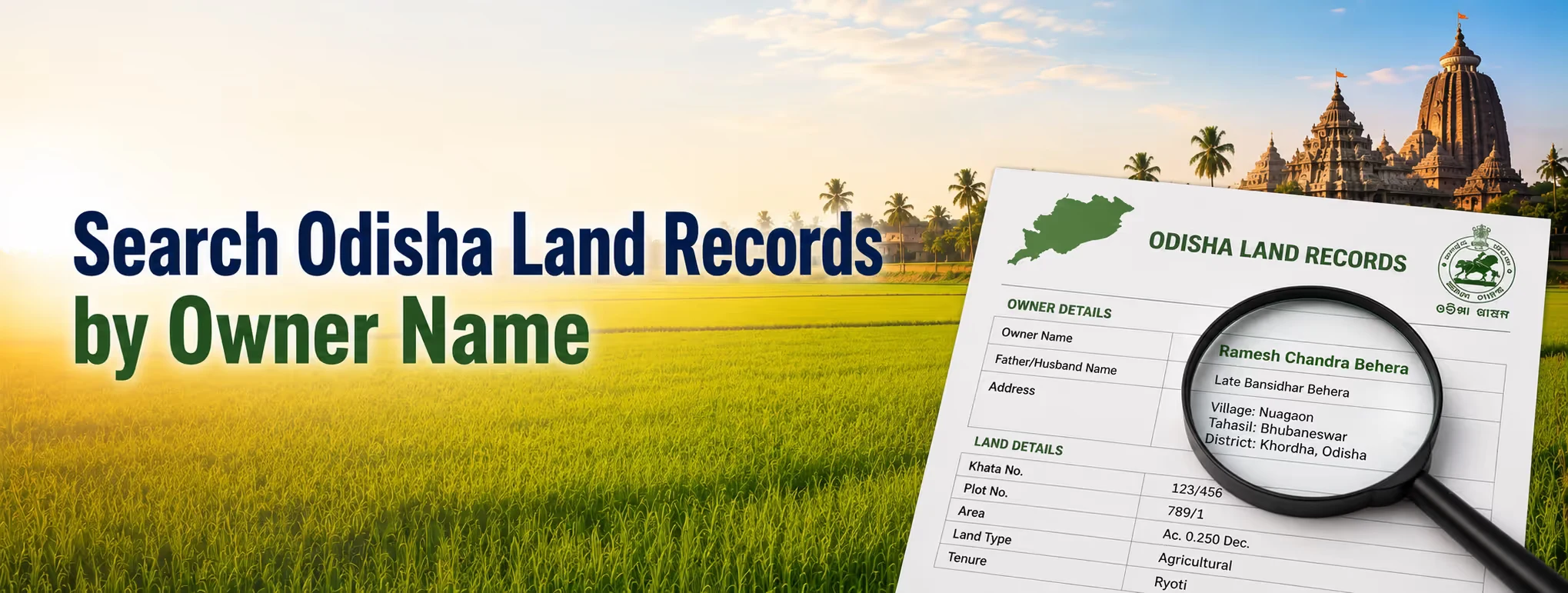
There was a time when finding out who owned a piece of land in Odisha meant a trip to the tehsil office, a long wait, and maybe a follow-up visit the next week because the clerk who handled that village was out. That's mostly gone now. Odisha digitised its land record system years ago, and today you can pull up land owner details for most plots in the state from your phone, sitting wherever you are. That said, the search process trips people up more often than it should, mostly because the portal wants specific fields filled in a particular order, and a lot of first-time users just don't know where to start. So let's walk through it properly.
The Portal You Need: Bhulekh Odisha
Bhulekh Orissa is the state's official land records platform, run by the Revenue and Disaster Management Department. The name itself is straightforward: "Bhu" means land, "Lekh" means record, and that's exactly what it does. It holds the Record of Rights, locally called the Khatiyan, for plots across all thirty districts. If you're trying to figure out the owner details of property anywhere in the state, this is where you'd start, not some third-party aggregator site that scrapes old data and charges you for it. Stick to the official portal. Plenty of copycat sites show up in search results promising instant land record access, and honestly, some of them are just outdated mirrors of the same public data, sometimes months behind.
What You Actually Get From a Name-Based Search?
When you search land by name on Bhulekh, the system pulls the RoR (Record of Rights) tied to whatever plot is registered under that name. After Odisha launched QR code verification for land records, this document typically shows:
- The owner's full name as recorded in revenue records
- Land classification (agricultural, homestead, and so on)
- Plot area and boundaries
- Revenue details and any pending dues
- Mutation history, meaning past ownership transfers
One thing worth knowing upfront: a name search alone can throw up multiple results if the name is common. Odisha has plenty of overlapping first and last names across villages, so don't be surprised if you search "Biswal" or "Nayak" and get a dozen entries back. That's normal, not a system error.
Step-by-Step: Searching Odisha Land Records by Name
Here's the actual process, broken down.
| Step | What to Do |
| 1 | Go to the official Bhulekh Odisha portal. |
| 2 | Select your district, then tehsil, and finally the village from the dropdown menus. |
| 3 | Choose the Search by Name option instead of Search by Plot Number, if you only have the owner's name. |
| 4 | Enter the owner's name exactly as it appears in the revenue records. If no results appear, try common spelling variations. |
| 5 | From the results list, match the entry using details such as the village name or approximate plot size. |
| 6 | Open the selected record to view the complete Record of Rights (RoR) / Khatiyan details. |
| 7 | Download or print the record for reference. If required for legal, banking, or loan purposes, obtain a certified copy from the Tehsil office. |
If the name search doesn't turn up what you're expecting, switch tactics. A khasra number search by name combination, where you cross-reference a known khasra number against the name results, often narrows things down faster than a name search alone. Similarly, if you already have a plot identifier, a survey number search by name approach works well to confirm you've got the right entry before assuming ownership details are accurate.
Using BhuNaksha Alongside the Name Search
Bhulekh gives you the written record, but BhuNaksha, the companion mapping tool, gives you the visual side. Once you've confirmed ownership through a name search, it's worth cross-checking the plot boundaries on BhuNaksha too. You select district, tehsil, village, and sheet number, and the map pulls up the specific plot along with its neighbours. This matters more than people think. A written record might say a plot belongs to someone, but the map confirms where that plot actually sits and whether the boundaries match what you were told. Skipping this step is how buyers occasionally end up disputing boundary lines months after a deal closes.
A Quick Note on "Bhoomi" and Terminology Confusion
A lot of people searching for Odisha land records type in terms borrowed from other states, and honestly, it's an easy mix-up to make. If you've searched around for a Bhoomi search by name, you've probably landed on results meant for Karnataka's land record system, which is called Bhoomi. Odisha's equivalent, doing the same job, is Bhulekh. Different state, different portal name, same basic function: owner verification, plot details, and land classification, all searchable by name or plot identifier. Whether you're buying or planning to sell agricultural land online, checking these records is one of the first steps to avoid mistakes.
Odisha Launches QR Code Verification for Land Records
One recent development worth flagging: Odisha launched QR code verification on its land record documents, aimed squarely at cutting down on forgery and the kind of double-selling scams that have plagued land transactions in several states. Records now carry an embedded QR code that can be scanned to instantly confirm authenticity against the government database, rather than relying on a physical stamp or signature that's much easier to fake.
For anyone buying land in Orissa, this is genuinely useful. A document that looked legitimate five years ago could still have been altered or forged with enough effort. A QR-verified record removes a lot of that ambiguity; you scan it, and either it matches the official database, or it doesn't.
Common Mistakes When Searching by Name
A handful of things trip people up repeatedly:
- Spelling mismatches — revenue records sometimes carry an older or slightly different spelling of a name than what's on someone's Aadhaar or PAN card
- Assuming a single search result is definitive — with common names, always cross-check village and approximate area before trusting a match.
- Skipping the certified copy step — the online printout is fine for reference, but banks and courts usually want a stamped version from the tehsil office
- Not checking mutation history — a name search shows current ownership, but recent, unmutated transfers can complicate a purchase if you don't dig further.
If you're comparing options for farm land for sale in Orissa, always run the seller's name through the portal yourself rather than trusting whatever documents they hand over. It takes a few minutes, and it's the single easiest way to catch a mismatch early.
What This Means If You're Buying or Selling?
For buyers, a name search is your first line of defence against fraudulent sellers claiming ownership of land they don't actually hold clean title to. Run it before you get emotionally attached to a plot, not after you've already started negotiating price.
For sellers, keeping your own records current and matched to your legal name makes the entire process smoother. If you're looking at selling agricultural land online, buyers today are far more likely to do this kind of verification themselves before making an offer, and a clean, easily searchable record works in your favour rather than against it.
Where 2Bigha Fits In?
Running these searches yourself is doable, but when you're comparing several plots across different districts, the process eats up time fast: spelling variations to try, boundary maps to cross-check, mutation histories to review. 2Bigha does this verification before a listing ever reaches you, so ownership details, khasra and survey numbers, and boundary accuracy are already confirmed. Whether you're hunting for land in Odisha near a growing town or comparing rural farmland options, 2Bigha's verified listings save you the back-and-forth of chasing portal searches on your own. Browse verified plots at 2Bigha.
Disclaimer: This article is for informational purposes only and should not be considered investment, legal, financial, or property advice. Real estate regulations, infrastructure plans, market conditions, and government policies may change over time. Readers are advised to verify information with relevant authorities and consult qualified professionals before making any investment or property-related decisions.