List Your Land
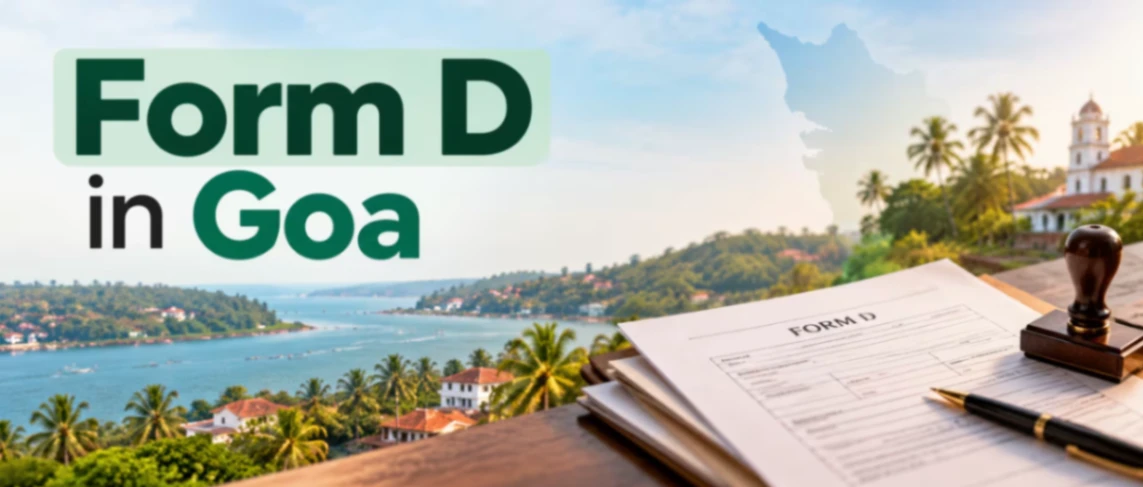
Form D is Goa's urban land record — the city counterpart to the rural Form I & XIV — maintained by the Directorate of Settlement & Land Records (DSLR) and identified not by a survey number but by City, PT Sheet, and Chalta number. It matters because Goa runs two parallel land record systems, rural and urban, and checking the wrong one — or checking only one at a property near a municipal boundary — is a common, avoidable way buyers miss a discrepancy that only shows up on the other register. This guide covers how to search Form D through the DSLR and GoaOnline portals, how it differs from Form I & XIV, and what a genuinely reliable urban land record should show. Whether you're buying a farm house in Goa, evaluating commercial land, or verifying a city property before you pay, this is the record that anchors urban title verification in the state.
Section 1 — What is Form D in Goa?
Before you look into land for sale in Goa, it helps to first browse verified listings — you can see this on the 2Bigha map by opening the map, typing 'Goa' into the search box, and using the state-level results that come up.
In simple terms, Form D is the Directorate of Settlement & Land Records' official record for urban land parcels, showing ownership, area, and property details identified by City, PT Sheet, and Chalta number rather than the Taluka-Village-Survey Number system used for rural land.
It differs from Form I & XIV specifically in jurisdiction and identification method — Form I & XIV covers rural land using survey and sub-division numbers, while Form D covers land within Goa's four City Survey towns (Panaji, Margao, Mapusa, and Vasco) using PT Sheet and Chalta numbers, and the two systems don't automatically cross-reference each other.
A buyer needs this specifically because properties sitting near a municipal boundary can carry entries in both registers that don't fully agree — checking only the register that seems obviously applicable, without pulling the other one too, is exactly how a discrepancy slips through unnoticed until after payment.
State-specific note: When a property sits at or near a city's municipal boundary, both Form I & XIV (rural) and Form D (urban) may carry entries for what's effectively the same land, and these can disagree — always pull both registers before signing or paying any consideration on a boundary-adjacent property, not just the one your broker points you to.
Expert Tip: Ask specifically whether a NAKSHA Urban Property Card (UrPro Card) has been generated for the property yet — Goa's 2026 digitisation project is layering this on top of Form D to capture vertical ownership in multi-storey buildings, but Form D itself remains the binding legal record in the meantime, so a missing UrPro Card isn't a problem on its own, while a Form D entry that looks stale or unclear about unit-level ownership in a multi-storey building is worth investigating further.
Section 2 — How to Get Form D in Goa?
Form D can be viewed for free as an informational copy on DSLR, with a digitally signed, legally valid copy available through GoaOnline. Compare the options below.
Method | Cost | Time | Legally valid for registration/loan use? |
Online (DSLR informational view) | Free | Instant | No — informational reference only |
Online (GoaOnline, digitally signed copy) | Fee applies | Instant after payment | Yes |
Offline (certified copy, City Survey office) | Fee applies | Direct issue at Panaji/Vasco; routed via CSC for Margao/Mapusa | Yes |
Visit the DSLR portal. Go to dslr.goa.gov.in and select the Land Records (ROR) option.
Choose Form D. Since you're checking urban land, select 'Form D' rather than 'Form I & XIV.'
Enter City, PT Sheet, and Chalta number. Provide the specific location and parcel identifiers for the property.
Solve the CAPTCHA and view. Click 'View Details' to generate the informational report.
Get a digitally signed copy if needed. For registration, loan, or legal use, log in to goaonline.gov.in, select the Form D service, and apply with the same location details.
Visit the relevant City Survey office. For Panaji or Vasco, apply directly at the Office of the Inspector of Survey & Land Records; for Margao or Mapusa, apply through the local Common Service Centre (CSC).
Submit your application with property details. Provide the City, PT Sheet, and Chalta number for the specific parcel.
Pay the applicable fee. Complete payment for the certified physical copy as prescribed.
Collect the certified Form D. Receive the signed and stamped copy for registration or legal use.
Certified copy processing varies by City Survey office: Panaji and Vasco issue directly, while Margao and Mapusa route applications through a Common Service Centre, which can add time. Before relying on any Form D, check that the PT Sheet and Chalta number match your other documents exactly, and that the entry reflects a genuinely current record rather than one that predates a recent mutation.
Section 3 — What Does the Form D Contain?
Once you have your Form D, review each field carefully — this matters whether you're buying a farm house in Goa located near a municipal boundary or evaluating commercial land within a City Survey town. For a broader look at land documents across India, visit the property websites section on the 2Bigha homepage
Field | What it means | What to check |
Owner name(s) | Who currently holds recorded rights to the urban parcel | Matches the seller or their proven predecessor |
City, PT Sheet, and Chalta number | Unique identifiers for the specific urban parcel | Matches your sale deed and any Form I & XIV entry for the same location |
Area and property description | The parcel's extent and classification | Consistent with what's been represented to you |
Mutation and encumbrance remarks | Any recorded change of ownership or claim on the property | No unresolved discrepancy or pending mutation |
Good sign:
A clean Form D shows the owner's name matching the seller, PT Sheet and Chalta numbers consistent with your sale deed and site, an area matching what's been represented, and no unresolved mutation or encumbrance remark — if all of this checks out, and it agrees with Form I & XIV for any boundary-adjacent property, the urban record supports the transaction.
Section 4 — Common Issues & How to Fix Them
A handful of recurring problems come up with Form D verification in Goa, most tied to checking the wrong register or relying on an outdated entry. For the most accurate, current procedure, always cross-check against the Form D in Goa official website
Only Form I & XIV checked for a boundary property – A buyer checks the rural register alone for land near a municipal boundary, missing a conflicting Form D entry. Fix: Always pull both Form I & XIV and Form D for any boundary-adjacent property before paying any consideration.
Relying on the free informational copy for registration – The Sub-Registrar or a bank requires a certified copy, but only the DSLR informational printout is provided. Fix: Obtain a digitally signed copy through goaonline.gov.in, or a certified physical copy from the City Survey office, for any registration or loan purpose.
Form D entry not updated after a recent mutation – A sale or transfer has occurred, but the Form D still shows the previous owner. Fix: Confirm mutation status directly with the DSLR or City Survey office rather than assuming the online record is fully current.
Multi-storey unit ownership unclear on Form D alone – A specific flat or unit's individual ownership isn't clearly distinguished within the building's overall Form D entry. Fix: Ask whether a NAKSHA Urban Property Card (UrPro Card) has been generated for unit-level clarity, and cross-check with the building's registered deed.
Agricultural or orchard land assumed convertible without checking Sanad status – A buyer assumes farm house land can simply be converted to residential or commercial use. Fix: Conversion requires a separate Conversion Sanad under Section 32 of the Goa Land Revenue Code, involving Town Planning, Forest, and Mamlatdar clearance — never assume conversion is quick, guaranteed, or already complete without verifying the Sanad directly.
PT Sheet/Chalta number mismatch across documents – The number on the sale deed doesn't match what's shown on Form D. Fix: Raise this discrepancy with the DSLR or City Survey office for reconciliation before finalising any transaction.
Section 5 — Recent Changes in 2026
Goa's Revenue Department has continued rolling out the NAKSHA Project in 2026, layering an Urban Property Card (UrPro Card) on top of Form D to capture vertical ownership data, structural footprints, and encumbrance history for multi-storey buildings, while Form D itself remains the binding legal record in the interim. The Revenue Department has also targeted a streamlined 45-day window for Conversion Sanad issuance where a coordinated inter-agency report (Town Planning, Mamlatdar, and Forest) is required — always confirm current processing times and requirements directly with DSLR before relying on any timeline.
Section 6 — Why Form D Matters for Land Buyers?
It's the primary legal record for urban land in Goa's four City Survey towns, carrying the same presumption of correctness as rural Form I & XIV under Section 105.
Checking both Form D and Form I & XIV for boundary-adjacent properties catches a discrepancy that checking only one register would miss.
Banks and the Sub-Registrar require the certified, digitally signed version — not the free informational copy — for loan and registration purposes.
It's essential before buying commercial land or a farm house near a municipal boundary, where dual-register conflicts are most likely.
Understanding that Form D doesn't confirm conversion status protects buyers from assuming agricultural or orchard land is automatically ready for construction.
A verified, current Form D significantly speeds up due diligence before any resale or loan application.
Section 7 — Form D vs. Form I & XIV
These two are the most commonly confused Goa land records, since both are Records of Rights from the same DSLR system. Here's the distinction.
Aspect | Form D | Form I & XIV |
Jurisdiction | Urban — Goa's four City Survey towns (Panaji, Margao, Mapusa, Vasco) | Rural land, outside City Survey town limits |
Identified by | City, PT Sheet, and Chalta number | Taluka, Village, Survey Number, and Sub-division |
Best used for | Verifying urban property ownership and boundaries | Verifying rural/agricultural land ownership and classification |
Match the register to the land's actual location, and for anything near a boundary, check both — using the wrong register alone is a common, avoidable verification gap. If you're the one holding urban property with a clean, current Form D and want to sell your land in Goa, having this record verified and ready to show will make your listing significantly more credible to a careful buyer doing proper due diligence
Section 8 — Related Documents
Conversion Sanad – Required when agricultural or orchard land is proposed to be converted for non-agricultural use, subject to applicable Goa regulations.
Form I & XIV – Land record document used to verify the land’s survey details, area, classification and recorded occupants.
Sanad/Conversion Order – Establishes the permitted change in land use and should be checked before treating agricultural land as buildable.
Survey Plan/Site Plan – Helps verify the exact parcel and its proposed development.
Zoning/Settlement Plan – Useful for confirming whether the property falls within an area where the intended construction or land use is permitted.