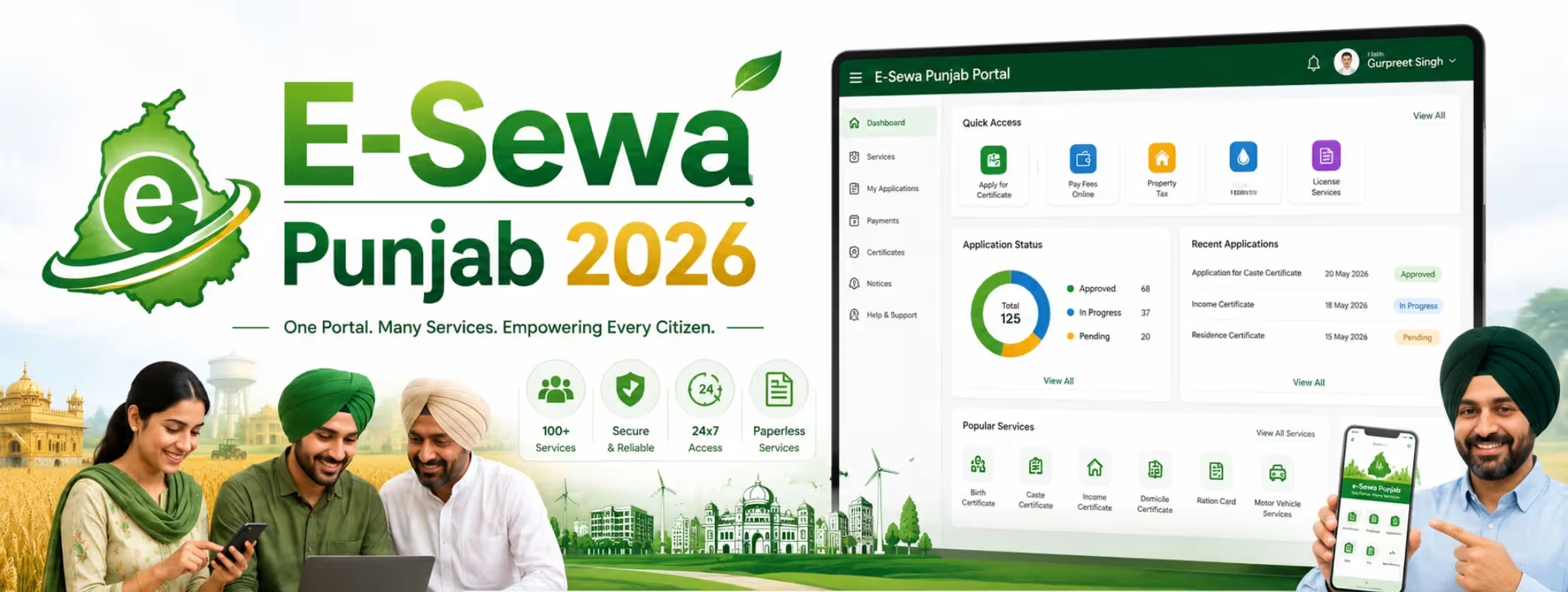
Government certificate work used to mean long queues, repeated visits, photocopy files, and confusion about which office to visit. For Punjab residents, E-Sewa Punjab has made this process more organised and citizen-friendly.
Whether you need an income certificate for scholarship, a residence certificate for government work, a caste certificate for reservation benefits, document embossing, tenant verification, or any other citizen service, E-Sewa Punjab gives you a digital route to apply, track, and download certificates.
In 2026, the platform is useful for students, farmers, job applicants, property owners, tenants, senior citizens, business owners, and families who need government-issued documents without unnecessary office visits.
This guide explains what E-Sewa Punjab is, how to register, how to apply for certificates online, how to track application status, what documents are required, and which major services are available through the portal and Sewa Kendras.
What is E-Sewa Punjab?
E-Sewa Punjab is a digital citizen service system launched to make government services easier to access. It connects citizens with different departments through online applications, Sewa Kendras, and certificate delivery systems.
It works as a bridge between citizens and government departments. Instead of visiting multiple offices, applicants can use one platform or one Sewa Kendra to apply for many services.
Through E-Sewa Punjab, citizens can:
- Apply for government certificates
- Track application status
- Download issued certificates
- Verify certificate authenticity
- Book Sewa Kendra appointments where applicable
- Use OTP or Aadhaar-based authentication
- Access services from different Punjab government departments
The platform is especially helpful for people who need official documents for admission, job applications, property work, welfare schemes, government benefits, legal formalities, and identity or residence verification.
E-Sewa Punjab vs Punjab eServices: Are They the Same?
Many users get confused between E-Sewa Punjab and Punjab eServices. Both are connected with citizen service delivery, but users may see different portals depending on the service type.
E-Sewa Punjab is commonly used for Sewa Kendra-related services, certificate download, verification, status tracking, and citizen authentication.
Punjab eServices is the online ServicePlus-based platform where citizens can apply for many department-based services and certificates.
For a normal citizen, the purpose is simple: both help you access government services digitally. If one portal redirects you to another, do not panic. Follow the official workflow, create your login, choose the service, fill the form, upload documents, pay the fee if required, and track the application.
Who Can Use E-Sewa Punjab?
E-Sewa Punjab can be used by residents of Punjab who need government certificates or department services. It is useful for:
- Students applying for scholarships, admissions, or fee concessions
- Job seekers needing caste, income, residence, or category certificates
- Families applying for welfare schemes
- Farmers and rural residents needing revenue-related certificates
- Property owners requiring document-related services
- Tenants and landlords using verification services
- Business owners applying for department permissions
- NRIs or family members needing Punjab-related documentation
- Citizens who prefer assisted applications through Sewa Kendras
Some services are fully online, while some may require Sewa Kendra visit, physical verification, department approval, or additional documents.
Main Benefits of E-Sewa Punjab
E-Sewa Punjab is useful because it reduces the stress of government paperwork. Earlier, citizens often had to visit different offices to understand which form to submit. Now, many services can be searched and applied for from one place.
The main benefits include:
- Online application from home
- Assisted application through Sewa Kendra
- Less need for repeated office visits
- Application reference number for tracking
- Digital certificate download
- Certificate verification option
- Department-wise service access
- More transparent application movement
- Helpful for students, job seekers, farmers, and families
- Better record keeping for future use
For citizens, the biggest advantage is clarity. You know where to apply, what documents to upload, and how to check the status.
Services Available on E-Sewa Punjab in 2026
Punjab eServices and E-Sewa platforms include many department-based services. The exact list may change from time to time, but the commonly visible and useful services include the following:
| Service Category | Common Services |
| Revenue Department Services | Income Certificate, Dogra Certificate, Mutual Land Partition, Embossing of Documents |
| Area-Based Certificates | Backward Area Certificate, Kandi Area Certificate, Border Area Certificate |
| Education Services | Verification of School Certificates |
| Police Services | Tenant Verification |
| Tourism Services | Bed and Breakfast Homestay Scheme, Farm Tourism Scheme, Tented Accommodation and Camping Site, Slot Booking for tourism sites |
| Medical Education Services | Provisional Registration of Doctors, Permanent Registration, Renewal and Restoration of Registration, Verification/NOC |
| Dairy Development Services | Dairy Farm Training |
| Defence Welfare Services | Ex-servicemen registration, lineal descendant certificate, ex-gratia grant, cash reward-related services |
| NRI Services | NRI-related department services where available |
| Power Department Services | Electricity Duty Exemption |
| Information & PR Services | Media accreditation-related services |
| General Administration Services | ID Card, Car Pass, State Award Nominations |
| AYUSH Services | CM Di Yogshala and related services |
This list is not final for every user because services may differ by department, district, eligibility, and current government availability. Always search the required service name on the official portal before applying.
Popular Certificates on E-Sewa Punjab
Income Certificate
An income certificate is one of the most commonly used certificates in Punjab. It proves the annual income of a person or family and is often required for scholarships, fee concessions, government schemes, reserved category benefits, and financial assistance.
Applicants usually need identity proof, residence proof, self-declaration, and other income-related supporting documents. In many cases, the service can be submitted online or through a kiosk/Sewa Kendra.
Residence Certificate
A residence certificate proves that a person lives in Punjab or a specific district/area. It is useful for admission, local quota, government schemes, job applications, domicile-related work, and official verification.
Applicants may need an Aadhaar card, voter ID, electricity bill, ration card, passport, rent agreement, or other proof of residence.
Caste Certificate
A caste certificate is required for people applying under Scheduled Caste, Backward Class, or other eligible categories. It helps applicants claim reservation benefits, scholarships, education benefits, and government scheme advantages.
Applicants should keep identity proof, family records, previous caste certificate if available, and local verification documents ready.
Border Area Certificate
A border area certificate may be required for people living in notified border areas of Punjab. It can be useful for benefits, eligibility claims, or official documentation where border area status matters.
Backward Area Certificate
A backward area certificate helps citizens prove that they belong to a notified backward area. This may be needed for specific government schemes, education benefits, or eligibility-based applications.
Kandi Area Certificate
A Kandi area certificate is issued to residents of notified Kandi areas. It is generally used where schemes or benefits are linked to area-based classification.
Dogra Certificate
A Dogra certificate is issued under specific eligibility conditions. Applicants should check the latest documents and eligibility before applying because such certificates are usually based on category, region, and administrative rules.
How to Register on E-Sewa Punjab Online
To apply for services online, users generally need to register or log in to the official portal. The process is simple if you keep your mobile number, email ID, Aadhaar, and documents ready.
Step-by-Step Registration Process
- Visit the official Punjab eServices or E-Sewa portal.
- Click on the Login or Register option.
- Enter your basic details such as name, mobile number, email ID, and password.
- Verify your mobile number through OTP.
- Complete Aadhaar or identity authentication if asked.
- Create your username and password.
- Log in using the new credentials.
- Update mobile number and email if the portal asks for verification.
- After registration, you can search for services and submit applications.
Make sure the name on your documents and portal profile matches properly. If there is a spelling error in your name, correct it before applying because wrong details can delay certificate approval.
How to Apply for Certificates Online on E-Sewa Punjab
Once you have registered, you can apply for certificates or services through the portal.
Step-by-Step Online Application Process
- Log in to the Punjab eServices portal.
- Click on Apply for Services.
- Search the required service, such as income certificate, residence certificate, caste certificate, or tenant verification.
- Open the service application form.
- Read the eligibility, required documents, and delivery timeline.
- Fill in applicant details carefully.
- Enter address, district, tehsil, village, ward, or local area details.
- Upload required documents in the accepted format.
- Review all information before submission.
- Pay the service fee online if payment is required.
- Submit the application.
- Save the application reference number.
- Use the reference number to track status later.
- After approval, download or print the issued certificate.
Do not submit wrong information just to get faster approval. Government certificates are legal documents, and false details can create future problems.
How to Apply Through Sewa Kendra Punjab
Not every citizen is comfortable applying online. Many people, especially in rural areas or senior citizen households, prefer assisted service. For them, Sewa Kendras are helpful.
To apply through a Sewa Kendra:
- Find your nearest Sewa Kendra.
- Book an appointment or slot where required.
- Carry original documents and photocopies.
- Tell the operator which service you need.
- Provide your mobile number and identity details.
- Submit documents for scanning and upload.
- Pay the applicable fee.
- Collect the acknowledgement receipt.
- Use the application number to track status.
- Visit again only if biometric verification, correction, or additional documents are required.
Sewa Kendra support is useful for people who do not have a laptop, scanner, or stable internet connection.
Documents Required for E-Sewa Punjab Services
Documents depend on the certificate or service. Still, most applications usually require some common documents.
Common Documents
- Aadhaar card
- Voter ID card
- Driving licence
- Passport
- PAN card, where required
- Passport-size photograph
- Mobile number
- Email ID
- Self-declaration form
- Residence proof
- Family details
- Ration card, where applicable
- Electricity bill or water bill
- Rent agreement, where applicable
- Previous certificate, if renewal or correction is needed
Service-Specific Documents
For an income certificate, you may need income proof, self-declaration, salary certificate, pension proof, or other income details.
For caste certificate, you may need family caste proof, old certificate, local verification, and supporting community documents.
For residence certificate, you may need address proof, voter details, ration card, or utility bill.
For tenant verification, landlord details, tenant ID proof, rental address, and police verification-related details may be needed.
For land or revenue services, you may need property records, jamabandi, mutation records, ownership documents, and identity proof.
Always check the document list shown on the service page before applying.
E-Sewa Punjab Application Status: How to Track Online
After submitting your application, you receive an application reference number. This number is very important because it helps you track the progress of your certificate or service request.
To track application status, Click on Track Application Status or Check Application Status, Enter your application reference number, Enter any required date, token, mobile OTP, or captcha, Submit the details and check the current stage of your application.
The status may be submitted, under process, pending for verification, sent back, approved, delivered, or rejected.
If the application is sent back, read the reason carefully. It usually means some document is missing, unclear, incorrect, or needs correction. Do not submit a fresh application immediately unless required. Correct the existing application if the portal allows it.
How to Download E-Certificate from E-Sewa Punjab
Once the department approves your application, you can download the e-certificate.
Log in -> Go to View Status of Application -> Open Track Application Status -> Find your application reference number -> Click on Delivered or Current Status -> Open the output certificate option -> Download and print the certificate.
Keep both digital and printed copies safe. Many certificates are accepted digitally, but some offices may still ask for a printed copy.
How to Verify Certificate on E-Sewa Punjab
Certificate verification is important because it helps confirm whether a certificate is genuine. This is useful for employers, schools, colleges, government offices, and applicants themselves.
Open the Verify Certificate option -> Enter the application reference number -> Enter the token number printed on the certificate -> Submit the details.
If the details are correct, the certificate can be verified or downloaded.
Fees and Delivery Time for E-Sewa Punjab Services
The fee and delivery time depend on the service. Some services may have nominal charges, while others may have department-specific fees. Some certificates may be delivered within a defined number of working days, excluding government holidays.
For example, income certificate services may have a fixed delivery timeline after application submission. However, delays can happen if documents are unclear, verification is pending, the applicant gives wrong information, or there is a public holiday.
The safest approach is to check the service page before applying. It usually shows whether the service is online or kiosk-based, required documents, delivery period, and service deliverable.
Common Problems and Their Solutions
OTP Not Received
Check whether your mobile number is active and has network coverage. Wait for a few minutes and use the resend OTP option. If the issue continues, try again later or visit a Sewa Kendra.
Wrong Name or Details
Do not ignore spelling mistakes. Correct your profile or application details before submission. Wrong details can lead to rejection or certificate mismatch.
Application Sent Back
Open the status page and read the reason. Upload the missing or corrected document. If the reason is unclear, contact the department or visit Sewa Kendra.
Payment Failed but Amount Deducted
Do not pay again immediately. Check payment status after some time. Use the revalidate payment option if available.
Certificate Not Downloading
Try another browser, clear cache, check pop-up settings, or log in again. If it still does not work, use the verify certificate or download certificate option.
Document Upload Error
Check file size, format, and clarity. Upload a readable scan or photo. Blurry documents often create approval delays.
Tips Before Applying on E-Sewa Punjab
- Use the same spelling of your name as shown on Aadhaar or official ID.
- Keep scanned documents ready before starting the form.
- Do not upload cropped or unclear documents.
- Use an active mobile number because OTP and status updates may come there.
- Check service eligibility before applying.
- Save the application reference number.
- Take a screenshot or print the acknowledgement.
- Track status regularly.
- Respond quickly if the application is sent back.
- Do not use unofficial agents or third-party websites.
- Visit Sewa Kendra if you are unsure about online submission.
These small steps can save time and reduce rejection chances.
Why E-Sewa Punjab Matters for Citizens
E-Sewa Punjab is more than a certificate portal. It is part of a larger shift toward digital governance in Punjab. For citizens, this means less dependency on middlemen, better transparency, and faster access to important government services.
Students can apply for scholarship-related certificates. Job applicants can arrange category and residence documents. Property owners can access document services. Tenants and landlords can complete verification. Farmers and rural residents can apply for area-based certificates. Senior citizens and families can get help through Sewa Kendras if they are not comfortable online.
The biggest value is convenience. You can start the process online, track it digitally, and download the final certificate without visiting multiple offices again and again.
Final Thoughts
E-Sewa Punjab 2026 makes government certificate application easier, faster, and more transparent for Punjab residents. Whether you need an income certificate, caste certificate, residence certificate, tenant verification, school certificate verification, or department-specific service, the platform gives you a clear route to apply and track your request.
For users who are comfortable online, the Punjab eServices portal is useful for direct application. For users who need help, Sewa Kendras provide assisted access. Both options reduce confusion and make public services more accessible.
Before applying, keep your documents ready, check eligibility, fill in accurate details, and save your application reference number. If you follow the process carefully, E-Sewa Punjab can save you time, reduce paperwork, and help you get official certificates without unnecessary stress.